Every device in your building —
where it is, what it's connected to. Instantly.
InfraNexus records every device — cameras, PCs, printers, Wi-Fi, IP phones… — with its place on the floor plan and its connection back to the network cabinet. When you need it, type a name, code or IP, or scan the label, and it's right there.
How InfraNexus works
Nobody remembers where each device is or what it's plugged into.
The information is scattered across drawings, spreadsheets, paper labels and a few technicians' memory. When something fails or moves, it's back to opening cabinets and tracing cables one by one.
One model of the entire physical network.
InfraNexus records every building, floor, room, rack, patch panel, switch port, outlet and end device — and the links between them. Every module reads from and writes to the same model, in real time.
Every part of the network, in its place
Seven modules that cover daily infrastructure work — from the floor plan to the handover file and access control.
Every device: where it is, what it is, what it's connected to.
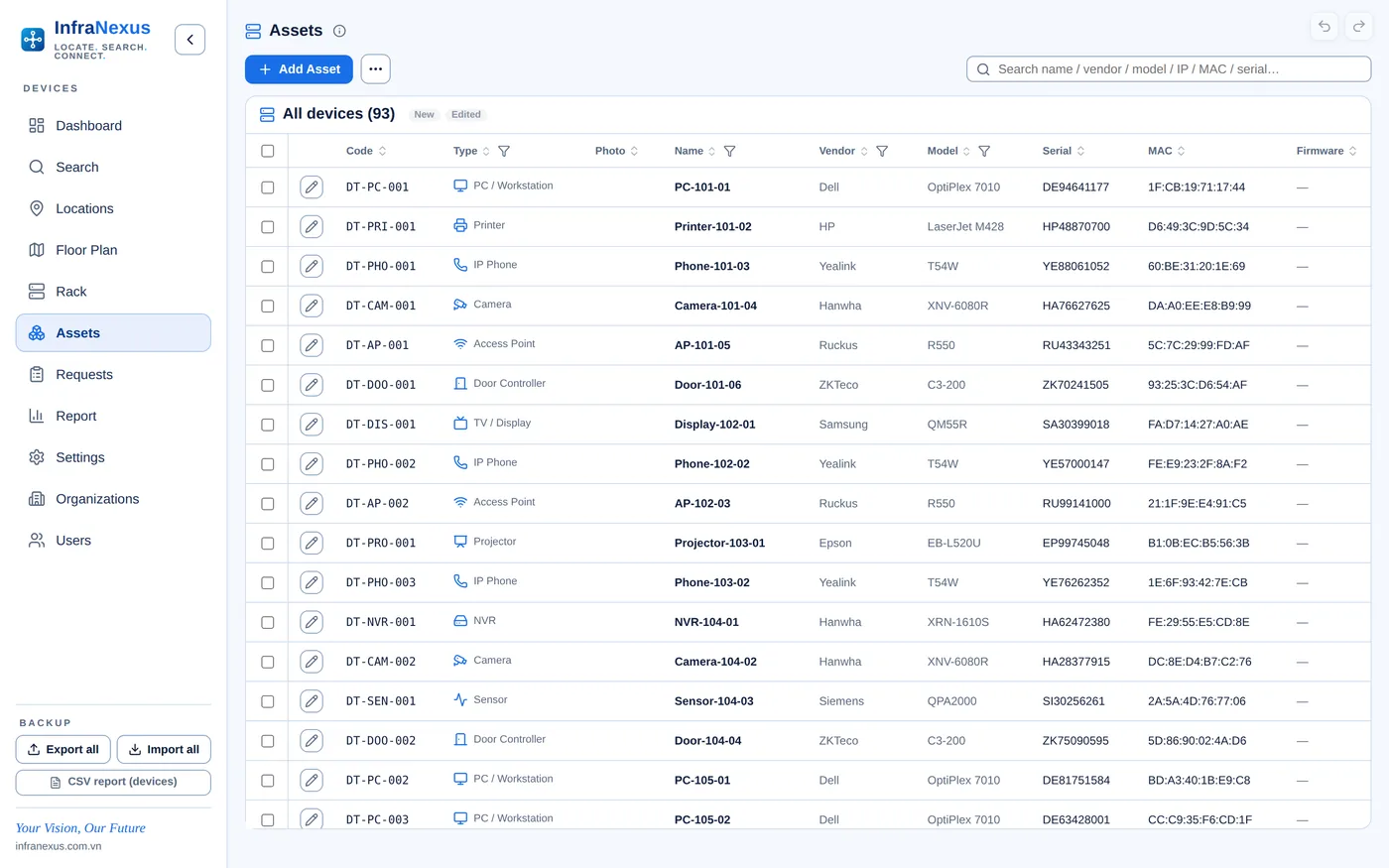
Assets manages every network device and IT asset — IP cameras, NVRs, PCs, printers, Wi-Fi access points, IP phones, displays, projectors, speakers, door controllers, sensors and more — with its vendor, model, serial, network settings, status and location.
- Scan the device label to fill serial, MAC and code automatically
- Photos taken on site, stamped with device and location
- IP checked against the VLAN plan, with free addresses suggested
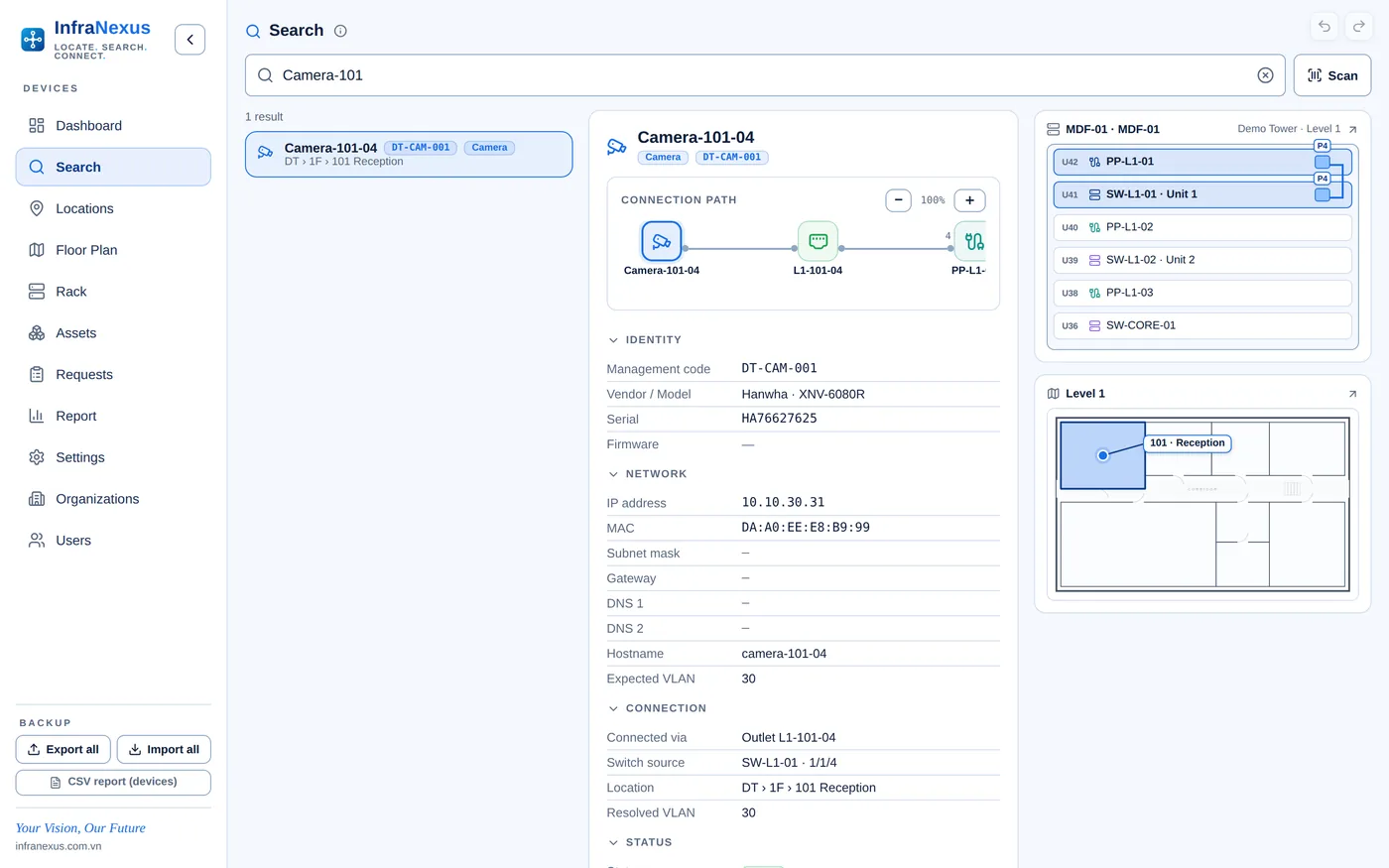
Type one word — find the device and its whole connection.
Search finds any network node — switches, patch panels, outlets and devices — by code, name, IP, MAC, serial, hostname, model or VLAN.
- One search box, accent-insensitive
- Preview with the full chain: outlet → patch panel → switch port
- Mini rack and mini floor-plan views in the preview
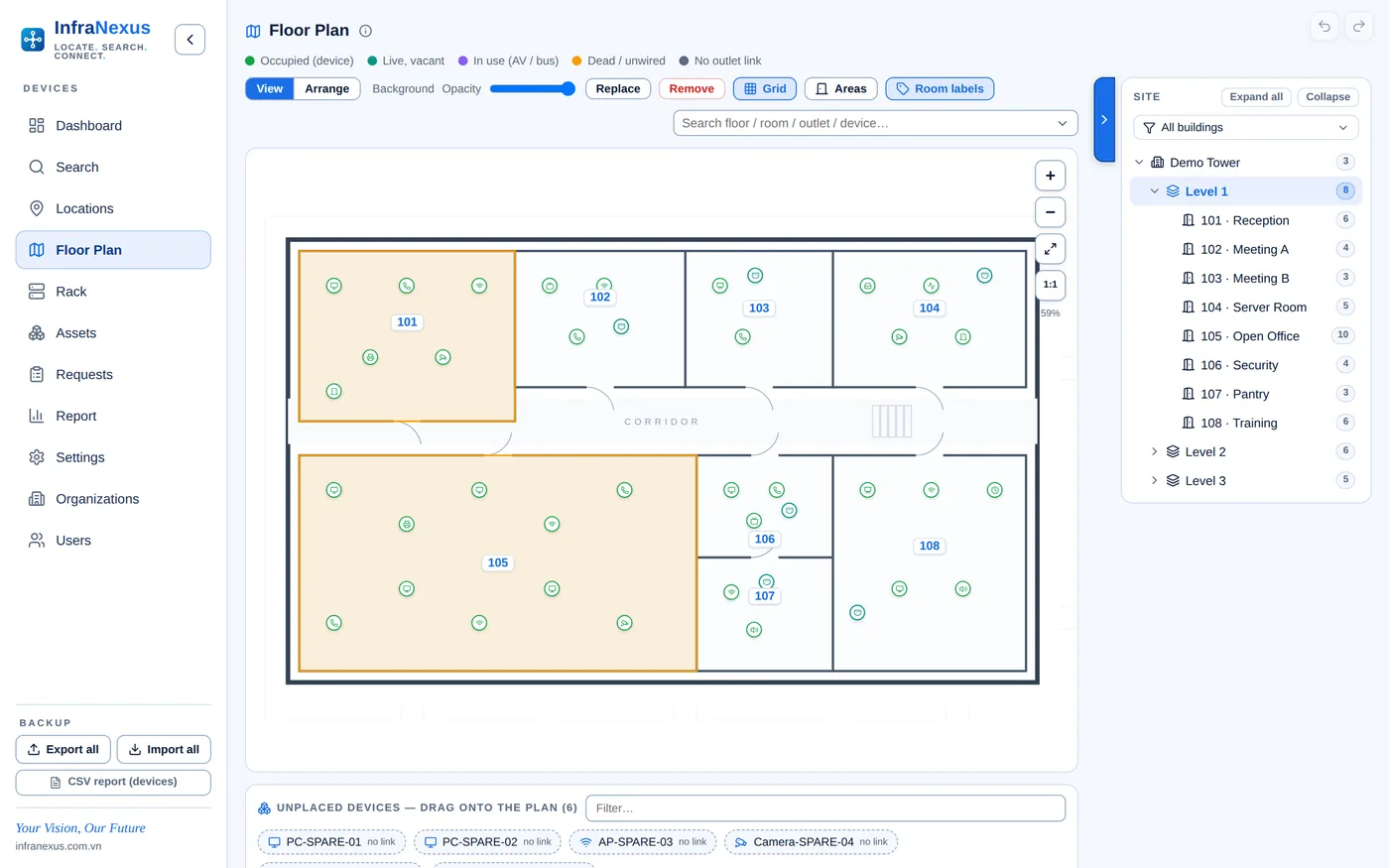
See every device right on each floor plan.
Floor Plan manages network floor plans: outlets and devices are placed on each floor drawing, with live status on every marker.
- Floor drawings imported as SVG, one per floor
- Drag-and-place outlets and devices, with alignment guides
- Colour-coded status on every marker; details on tap
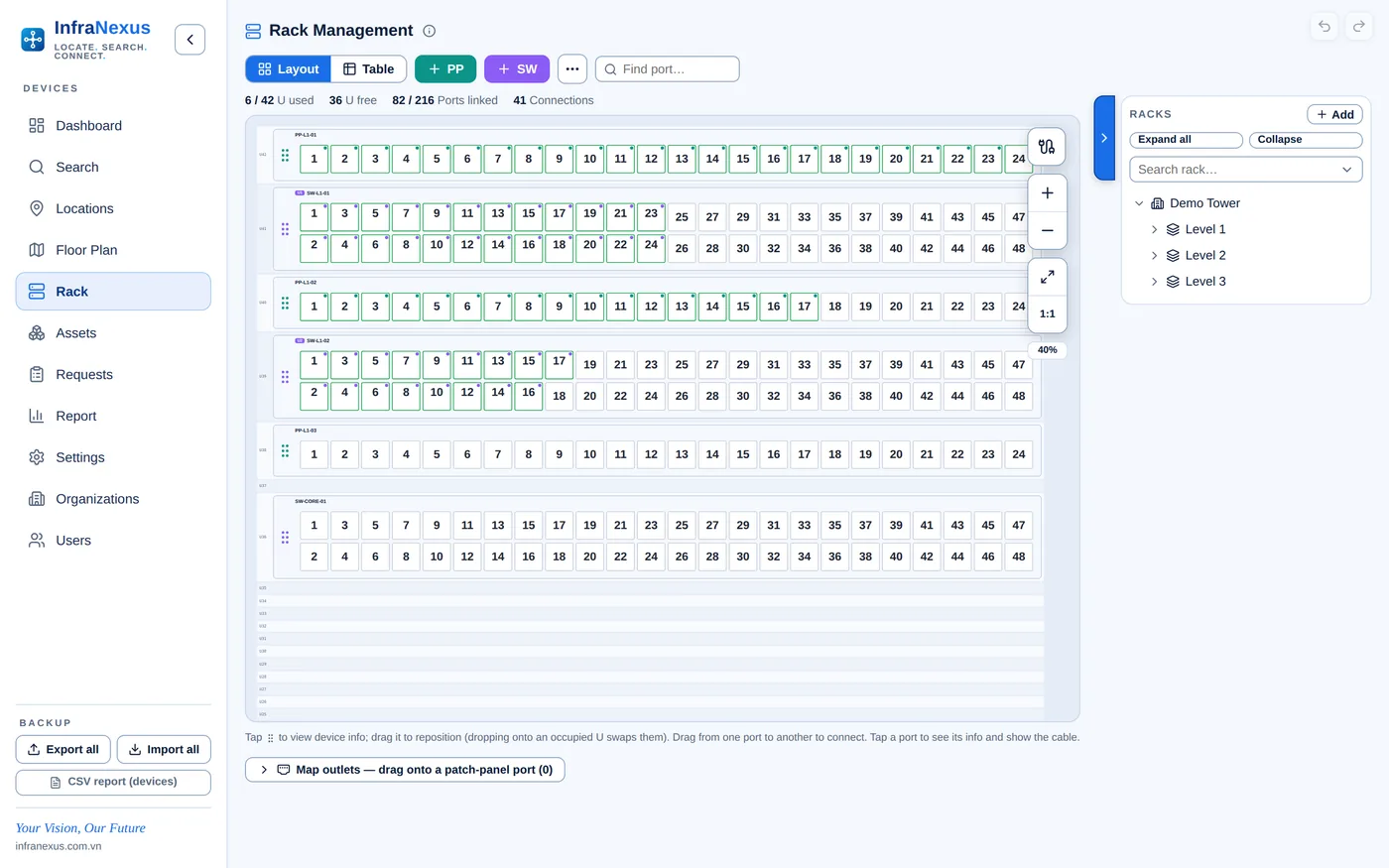
What is this switch port connected to?
Rack management by rack unit — patch panels and switches down to every port, its patching and its VLAN.
- Front view by rack unit, plus table view
- Patch-panel ↔ switch-port patching and switch stacks
- Port label strips and cable wraps printed on Brother P-touch
Device list and location drawings — in one export.
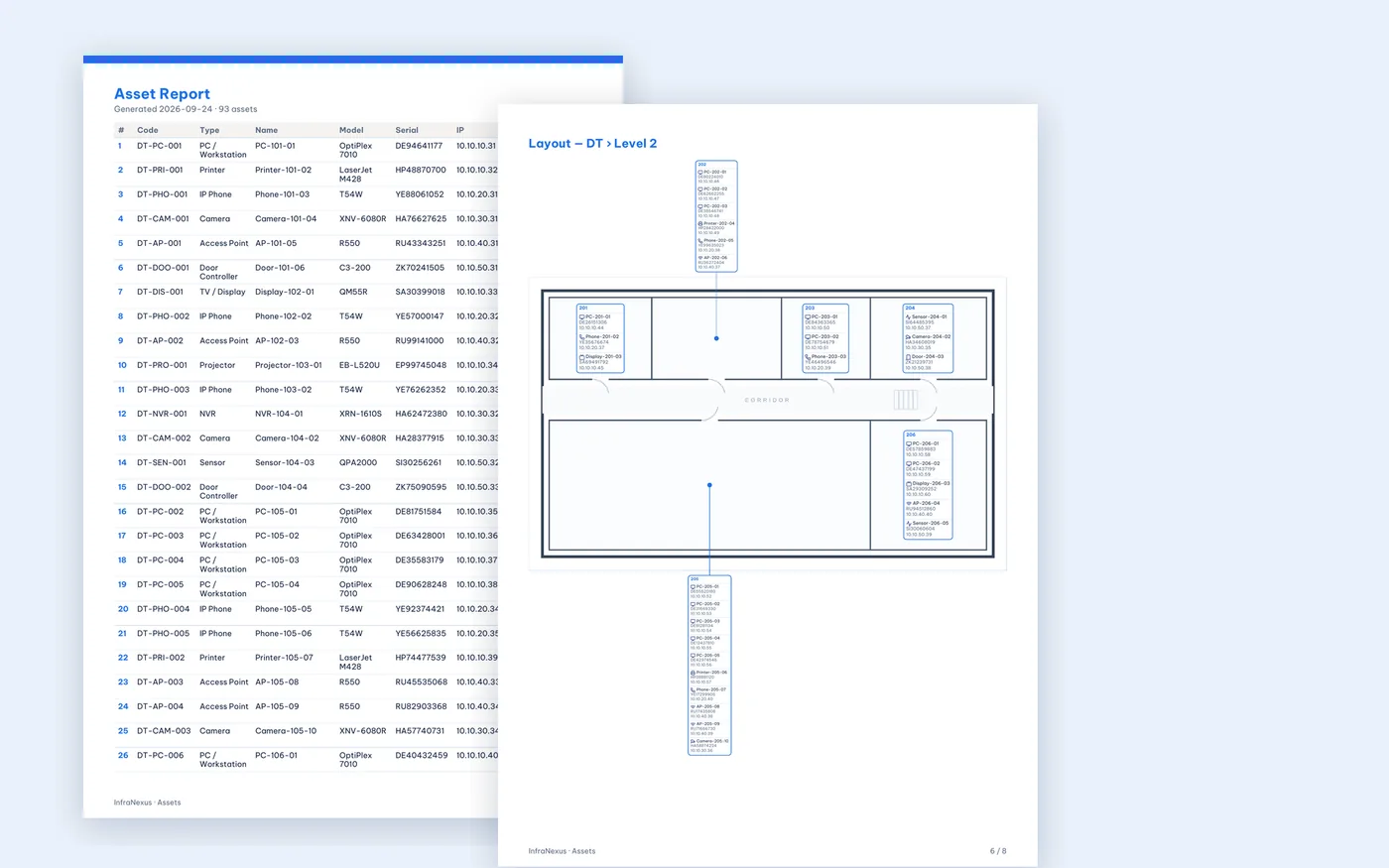
Select the devices, choose the columns, and Asset Report produces a complete PDF: the device schedule followed by every floor plan with each device marked in its room.
- Device schedule with the columns and order you choose
- One page per floor: each device shown in its room with type icon, name and serial, IP or MAC
- Devices not yet placed listed separately
 Click to enlarge
Which device is faulty, who's on it, is it done?
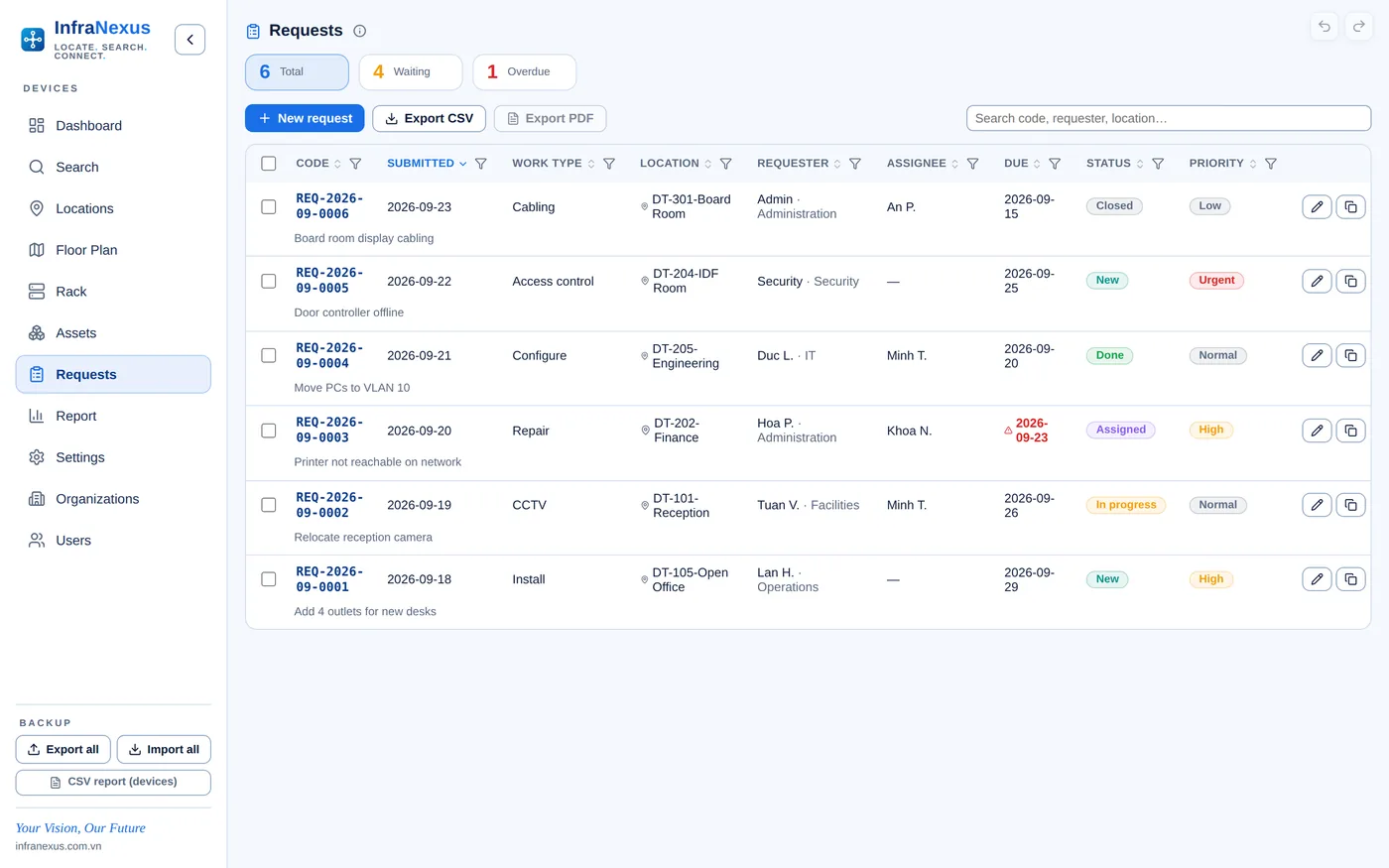
Requests manages technical and maintenance jobs, each with a reference number, priority, due date, assignee, photos and a status timeline.
- Reference codes REQ-YYYY-MM-NNNN
- Original request photos attached from camera or file
- Linked to the device and room; shown on the floor plan
Who can view, who can edit — in which building.
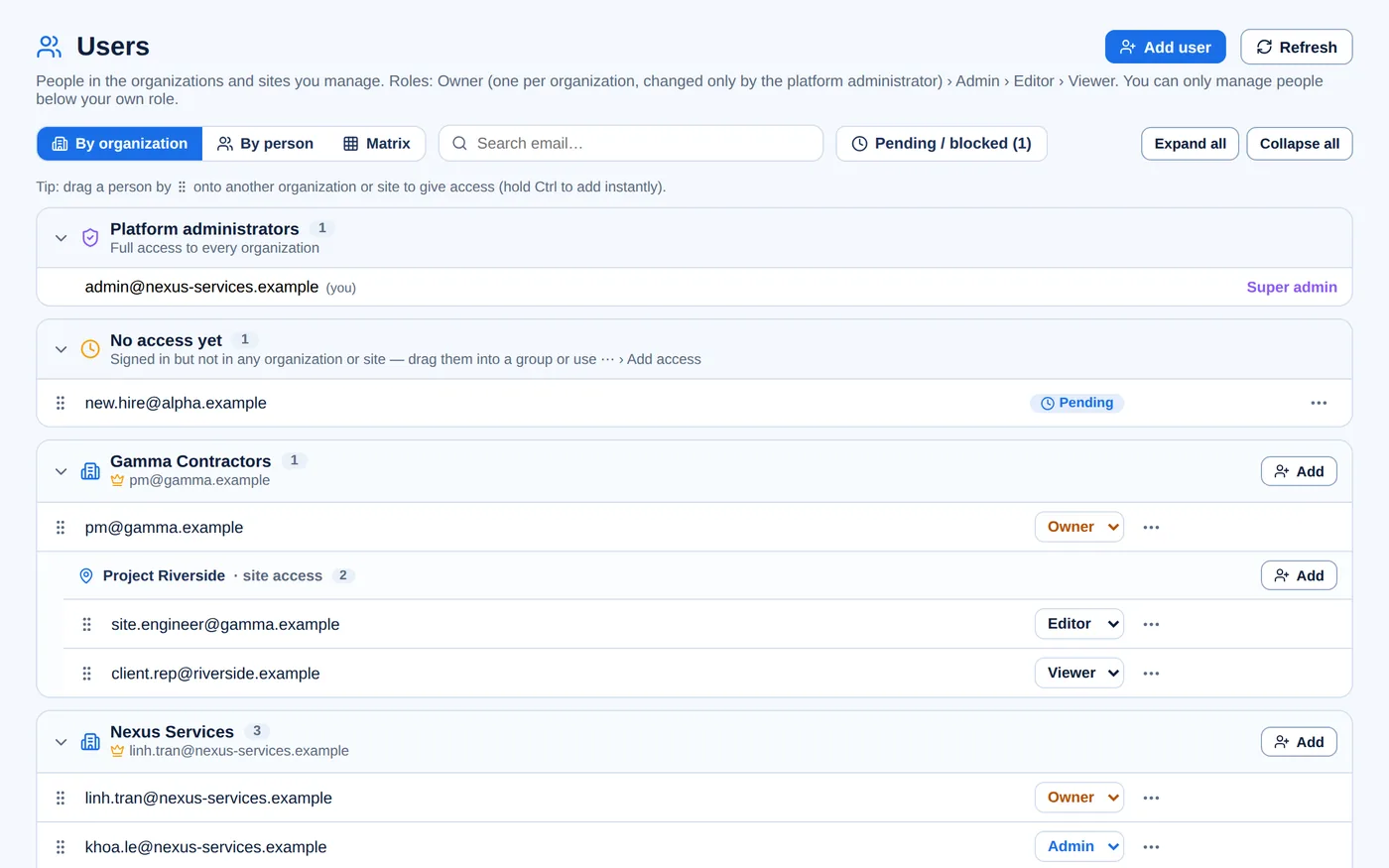
Organizations & Users manages the organization tree, its sites and each person's role — per organization or per individual site. Every administrator manages only the levels below their own role.
- Unlimited organization tree, one Owner per organization
- Roles per organization or per single site: Owner, Admin, Editor, Viewer
- Three views: by organization, by person, and a people × sites matrix
One platform, three operating models
InfraNexus organizes data in a multi-level hierarchy. Each organization sees and manages only its own scope, while parent organizations retain full oversight.
What changes when the network is on InfraNexus
Enterprise foundations, without the complexity
Frequently asked questions
What is InfraNexus?
InfraNexus is web-based network infrastructure management software. It documents buildings, floors, rooms, racks, patch panels, switch ports, network outlets and end devices in one model, so every cable can be traced from the device to the switch port.
How does InfraNexus manage racks and patch panels?
Each rack is modelled unit by unit, with patch panels and switches down to every port. Patching between patch-panel and switch ports, switch stacks and VLANs are recorded, and port label strips and cable wraps can be printed on Brother P-touch label printers.
Can I trace a network outlet back to its switch port?
Yes. Search by code, name, IP, MAC, serial or hostname and InfraNexus shows the full chain — device, outlet, patch panel and switch port — together with a mini rack and floor-plan view.
Does it work with our floor plans?
Floor drawings are imported as SVG, one per floor; CAD drawings can be exported to SVG. Outlets and devices are placed directly on the drawing and show their live status.
Can InfraNexus produce as-built documentation?
Yes. Asset Report generates a PDF with the device schedule in the columns you choose, followed by each floor plan with every device shown in its room — ready for handover and acceptance.
Which devices can be managed?
Any end device: IP cameras, NVRs, PCs, printers, Wi-Fi access points, IP phones, displays, projectors, speakers, door controllers, sensors and more — with vendor, model, serial, IP, MAC, VLAN, status, location and photos.
Is it suitable for IT service providers and contractors?
Yes. InfraNexus supports an unlimited organization tree: service providers manage each client as a separate organization, contractors manage each project as a site, and clients can receive their own accounts with Owner, Admin, Editor or Viewer roles.
Do we need to install anything?
No. InfraNexus runs in any modern browser on desktop, tablet and phone. On site, technicians scan device labels with the phone camera and attach photos directly.
Can you migrate our existing data?
Yes. During deployment our team imports your existing floor plans, rack layouts and device registers, so your team starts with a complete record.
Getting started with InfraNexus
No installation required. InfraNexus runs in any modern browser, on desktop, tablet and phone.
Download brochure (PDF)Deploy InfraNexus for your organization
Tell us about the scale of your sites — we will provision your organization's space and help migrate your existing data.