As-built reports
Device list and location drawings — in one export.
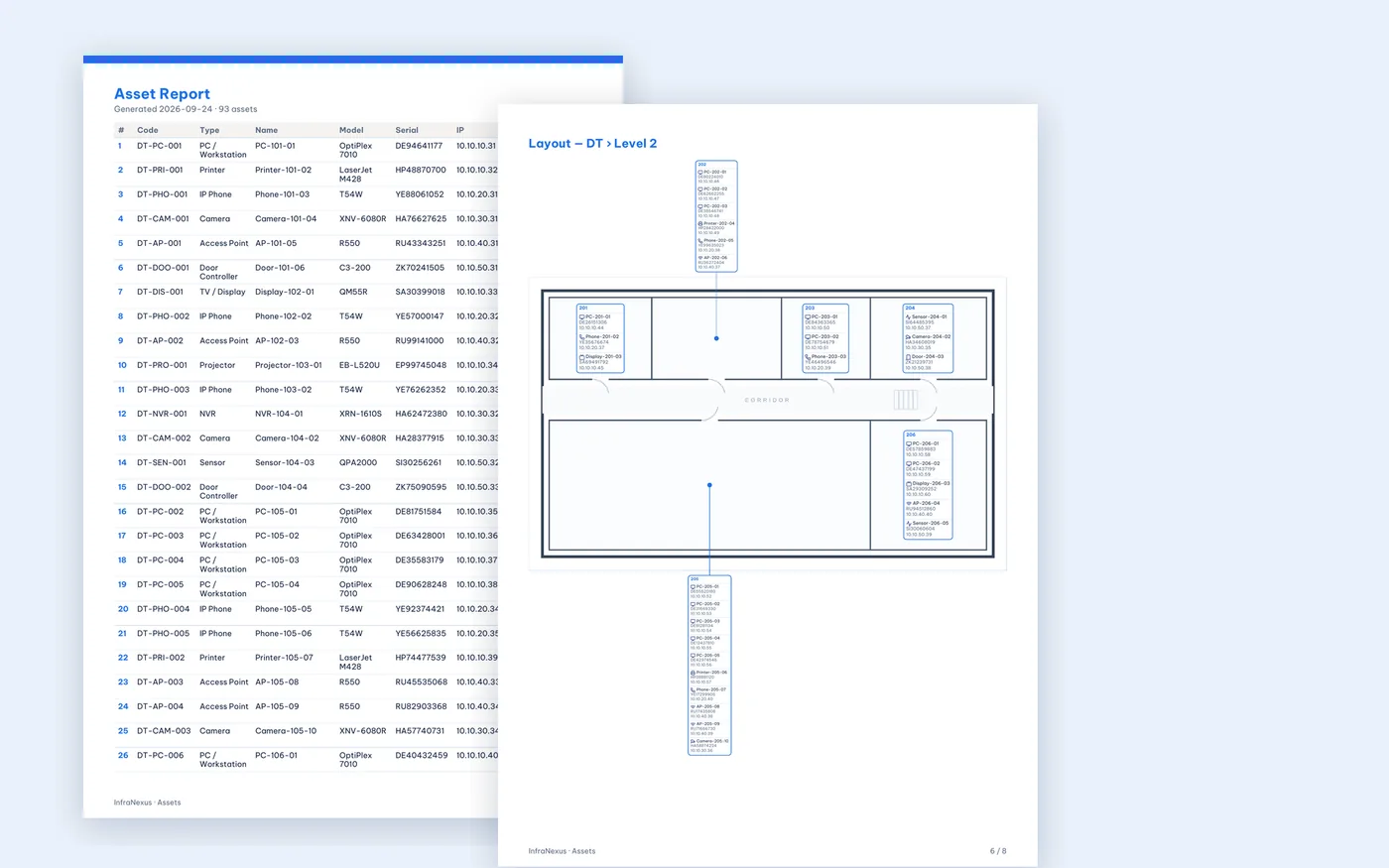
Asset Report turns the live model into a complete handover file: a device schedule with the columns you choose, then one page per floor with every device in its room.
 Click to enlarge
At handover, contractors spend days redrawing device positions and retyping serials and IPs into spreadsheets — and the result is out of date the week after.
Choose devices and columns
Filter the devices, then pick and order the columns: code, type, name, model, serial, IP, MAC, room…
One page per floor
Each device is shown in its room with type icon, name and serial, IP or MAC.
Unplaced devices listed
Devices not yet on a drawing are listed separately, so nothing is missed.
Vietnamese-ready PDF
A4 layout with full Vietnamese text, ready to print and sign.
Always current
Export again at any time — the report reflects the latest changes.
Questions
Is the report editable?
The PDF is the final document; to change it, update the devices in InfraNexus and export again.
Can I export only one building or floor?
Yes. Filter the device list first; the report includes only the selected devices and their floors.
Is there a CSV export too?
Yes. The device list can also be exported as CSV.
Deploy InfraNexus for your organization
Tell us about the scale of your sites — we will provision your organization's space and help migrate your existing data.